
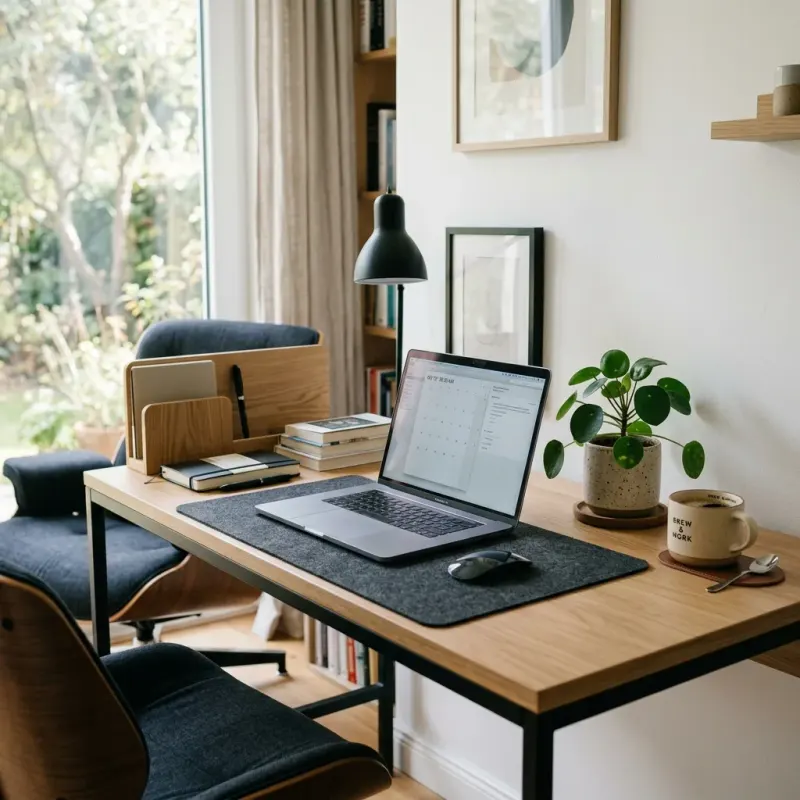
The Complete Guide to Setting Up a Productive Home Office in South Africa
Remote and hybrid work have permanently reshaped how South African professionals operate. What began as an emergency response to the global pandemic has evolved into a fundamental shift in the way we work — and in 2026, the ability to work effectively from home is not a luxury or a perk. It is a core professional competency. Yet the gap between "working from home" and "working effectively from home" is enormous, and most people never bridge it because they never invest in the physical foundation: a properly designed workspace.
Working from your couch feels liberating for approximately two weeks. After that, the chronic back pain arrives, the productivity drops, the work-life boundary dissolves, and what should be a professional advantage becomes a daily source of stress. This guide covers everything you need to build a home office that genuinely supports your career — from ergonomics and loadshedding resilience to lighting for video calls and the psychological design principles that keep you focused and mentally healthy.
Why Your Home Office Setup is a Career Investment, Not an Expense
Before looking at the specifics, it is worth reframing how you think about the money you spend on your home office. Every rand you invest in your workspace pays returns in the form of:
- Higher productivity: Research consistently shows that workers in well-designed environments complete tasks 15–25% faster and with fewer errors than those in poor environments.
- Reduced health costs: Chronic back and neck pain from poor ergonomics is one of the leading causes of sick days and medical expenses for remote workers. A good chair pays for itself in avoided physiotherapy bills within a year.
- Professional credibility: In a world of video calls, your background and the quality of your audio-visual setup is an extension of your professional brand. A well-lit, tidy workspace signals competence and seriousness.
- Mental health: A dedicated, organized workspace with clear boundaries between work and personal life is one of the most effective tools for preventing the burnout that affects so many remote workers. Read our companion article on why working from home is so stressful for the full psychological picture.
Step 1: Choose and Commit to a Dedicated Workspace
The single most important decision in your home office setup is not what chair to buy or which monitor to get — it is committing to a dedicated, fixed space that is used exclusively for work. This is not merely a practical consideration; it is a neurological one.
Your brain builds associations between environments and mental states through a process called context-dependent memory. When you consistently work in a specific space, your brain learns to shift into "work mode" automatically when you enter it — and to switch off when you leave. When you work from your bed, your couch, or your kitchen table, you destroy this association, making it harder to focus when you need to work and harder to switch off when you need to rest.
If you have a dedicated room: Ideal. Close the door at the end of the workday. The physical act of closing it is a powerful psychological signal that the workday is over.
If you share a living space: Zone a specific area using a rug, bookshelf, room divider, or even just the consistent orientation of your desk. What matters is that the space feels distinct from the rest of your living area. Be consistent — always work from the same spot, and avoid bringing personal activities (eating, social media scrolling, TV) into that zone.
Never work from your bedroom if you can avoid it. Your brain needs to associate your bed and bedroom exclusively with rest and recovery. Working from bed is one of the fastest routes to insomnia and chronic fatigue for remote workers.
Step 2: Ergonomics — The Foundation of Sustainable Remote Work
Ergonomics is the science of designing your work environment to fit your body, rather than forcing your body to adapt to your environment. Poor ergonomics does not cause dramatic, immediate harm — it causes slow, cumulative damage that arrives as chronic pain, repetitive strain injuries, and fatigue that compounds over months and years.
The Chair — Your Most Important Investment:
If you spend eight or more hours a day sitting, your chair is the most important piece of equipment you own. Do not compromise here. A quality ergonomic chair should have:
- Adjustable lumbar support that fills the natural curve of your lower back, preventing the slouching that causes disc compression and chronic lower back pain.
- Adjustable seat height so your feet rest flat on the floor (or a footrest) with your thighs roughly parallel to the ground.
- Adjustable armrests that support your forearms at a height where your shoulders are relaxed, not raised.
- Adequate seat depth — you should be able to sit back fully against the lumbar support with approximately a fist-width of space between the edge of the seat and the back of your knees.
In South Africa, look at brands like Senator, Humanscale, or the ergonomic ranges at Makro and Incredible Connection. You do not need to spend R10,000 — a well-chosen chair in the R2,000–R5,000 range will serve you well for years. Visit a store and sit in it for at least five minutes before buying.
Desk Height and Monitor Placement:
- Your desk should allow your arms to rest at a 90-degree angle when typing, with your shoulders relaxed and your wrists straight — not bent up or down.
- Your monitor should be at approximately arm's length from your face and positioned so that your eyes naturally rest on the top third of the screen — meaning you are looking very slightly downward, not upward or directly straight ahead. Upward gaze causes neck extension and chronic cervical strain.
- If you use a laptop as your primary device, a laptop stand is non-negotiable. Laptops are designed for portability, not for all-day ergonomic use. Pair your stand with an external keyboard and mouse to maintain the correct arm position. This single change eliminates most of the neck and shoulder pain that plagues laptop workers.
Take Movement Breaks: No ergonomic setup eliminates the harm of prolonged sitting. Set a timer to stand, stretch, or walk for five minutes every 45–60 minutes. The Pomodoro Technique (25 minutes of focused work, 5-minute break) is an excellent framework that naturally builds movement into your workday.
Step 3: The South African Reality — Loadshedding-Proofing Your Office
No guide to home offices in South Africa would be complete without a serious, detailed discussion of loadshedding. Being offline for two to four hours during a critical workday is not a minor inconvenience — it can cost you client relationships, deadlines, and in extreme cases, your job. Loadshedding preparedness is not optional for serious remote workers in 2026.
Build your loadshedding strategy in layers, based on your budget:
Layer 1 — The Essentials (R500–R2,000):
- UPS (Uninterruptible Power Supply) for your router: This is the absolute minimum. A small UPS keeps your fibre router online during loadshedding, maintaining your internet connection. Without internet, you cannot work. Look for a UPS rated at 600VA or higher — sufficient to run a standard fibre router for 4–6 hours. Available at most major electronics retailers for R500–R1,200.
- Rechargeable LED desk lamp: A quality LED lamp that charges via USB during power periods and runs for 8+ hours on battery. Essential for Stages 4–6 when loadshedding hits in the early morning or evening.
- Mobile data backup: A dedicated mobile data SIM (separate from your phone) with a pre-loaded data package. When the loadshedding knocks out your fibre (even with a UPS, sometimes the ONT device goes down), mobile data is your lifeline. Check coverage maps — Vodacom and MTN tend to have the most reliable data networks in major urban areas.
Layer 2 — Serious Protection (R2,000–R8,000):
- Lithium-ion battery trolley / portable power station: A portable power station (brands like EcoFlow, Jackery, or local equivalents) can power your laptop, monitor, router, and desk lamp simultaneously for 4–8 hours. Far more efficient than lead-acid inverters, they charge quickly during power-on periods and are quiet, safe, and suitable for indoor use. This is the single most impactful loadshedding investment for a remote worker after a router UPS.
- Laptop with good battery life: If you are due a laptop upgrade, battery life should be a primary consideration. A laptop that runs 8–10 hours on a single charge dramatically reduces your dependence on external power solutions.
Layer 3 — Full Independence (R15,000+):
- Solar + battery backup system: A properly sized solar panel array with a lithium battery bank can power your entire home office indefinitely during daylight hours and for several hours after dark. In South Africa's sunshine-rich environment, this is increasingly cost-effective and is the only truly loadshedding-proof solution. Consult a registered solar installer for a system sized to your specific needs.
Pro tip: Download your loadshedding schedule via the EskomSePush app and plan your most demanding tasks (video calls, large uploads, client presentations) during power-on windows. Offline tasks (writing, analysis, planning) can be scheduled for loadshedding periods to maximize your productivity regardless of the schedule.
Step 4: Lighting — For Focus and Professional Video Presence
Lighting affects two critical aspects of home office life: your personal focus and energy, and how you appear on video calls. Both matter more than most people realize.
For focus and wellbeing: Position your desk to maximize natural light, ideally with the window to your side (not directly behind your monitor, which causes glare, and not directly behind you, which creates silhouette problems on video calls). Natural light regulates your circadian rhythm, boosts alertness, and reduces eye strain. South African offices are fortunate to have abundant natural light year-round — use it.
Supplement with a quality LED desk lamp that offers adjustable colour temperature: cooler white light (5000–6500K) for focused work, warmer light (2700–3000K) for late afternoon and evening use to avoid disrupting your sleep cycle.
For video calls: The single biggest upgrade you can make to your professional video presence is a dedicated ring light or softbox light placed in front of your face (between you and your camera). This eliminates shadows, evens out your complexion, and makes you look significantly more awake and professional. A basic ring light costs R300–R800 at most SA electronics stores and is worth every cent for anyone who spends significant time on video calls.
Step 5: Sound — Protecting Your Focus and Your Professionalism
Noise is one of the most underestimated productivity killers for remote workers — both the noise that interrupts your focus and the noise that leaks into your video calls.
For focus: Active noise-cancelling (ANC) headphones are a transformative investment for anyone working in a shared space or a noisy environment. Brands like Sony, Jabra, and Bose offer excellent options at various price points. If budget is tight, even simple foam earplugs can dramatically improve your ability to enter deep focus.
For video calls: The quality of your microphone matters significantly more than the quality of your camera. Poor audio makes you sound unprofessional and forces colleagues to strain to understand you. A dedicated USB microphone or a quality headset with a boom microphone (like the Jabra Evolve or Logitech H390) will make you sound dramatically clearer than any built-in laptop microphone. These are available at Incredible Connection, Takealot, or online from R500 upwards.
Also invest in noise management: a heavy door mat, thick curtains, and a bookshelf full of books all act as sound absorbers that reduce echo and external noise bleeding into your calls.
Step 6: Organize for Clarity and Calm
A cluttered desk is scientifically associated with elevated cortisol (stress hormone) levels and reduced cognitive performance. Your environment directly shapes your mental state — not metaphorically, but neurologically.
- Cable management: Use cable clips, velcro ties, or a cable management tray under the desk to eliminate the chaos of loose cables. The difference in perceived professionalism and mental calm is remarkable for such a small investment.
- The clear desk rule: At the end of each workday, spend five minutes returning everything to its designated place. Starting a fresh workday with a clear desk is a powerful ritual that signals a clear mental start.
- Vertical storage: Use wall-mounted shelves, pegboards, or a small bookcase to get reference materials, notebooks, and equipment off the desk surface and onto the walls. In a small home office, vertical space is your best friend.
- A plant: Add a small, low-maintenance indoor plant to your desk. Research shows that even a single plant in a work environment meaningfully reduces stress and improves concentration. A Snake Plant or ZZ Plant will thrive on minimal attention.
Your Home Office Setup Checklist
Non-negotiables:
- Dedicated, consistent workspace (separate from rest/leisure areas)
- Ergonomic chair with lumbar support and adjustable height
- Monitor or laptop stand at eye level
- External keyboard and mouse (if using a laptop)
- UPS for Wi-Fi router
- Mobile data backup SIM
- Rechargeable LED desk lamp
- Quality headset or microphone for calls
High-impact upgrades:
- Portable power station / lithium battery backup
- Ring light for video calls
- Active noise-cancelling headphones
- External monitor (even a second screen adds 20–30% productivity for most knowledge workers)
- Standing desk or desk converter
Building an effective home office is not a one-time event — it is an ongoing practice of refinement. Start with the non-negotiables, solve the loadshedding problem, and systematically upgrade as your needs and budget allow. Every improvement you make is a direct investment in your career performance, your physical health, and your daily quality of life. And if you are navigating the psychological dimensions of remote work, our guide on building income through side hustles pairs well with the lifestyle flexibility that a well-designed home office enables.